Nine Casino Login, Registration and Verification Steps
Nine Casino accounts open with an email and a password; a forgotten password is reset through the “Forgot password?” link, which sends a reset link by email. Uploaded documents are reviewed within 24 hours, and until the account is fully verified no cashouts are processed.
- 1Open the operator’s sign-in form
- 2Enter email and password
- 3Add the 2FA code if it is on
- Have two things ready: an email you can open, for the reset link and the one-time email check, and documents that match the name on the account.
- Each household, IP address and PC is allowed one account.
How to log in to Nine Casino
Three steps on the operator’s site, in this order.
- 1
Open the operator’s sign-in form
The Log in button sits at the top right of the operator’s header, with Sign up next to it. - 2
Enter email and password
Use the email and password chosen at sign-up. - 3
Add the 2FA code if it is on
With two-factor authentication enabled, enter the one-time code from the Google Authenticator app.
On a phone the header carries the same Log in and Sign up buttons; how the browser install works is on its own page.
Before the first withdrawal, run through the account checklist.
Forgot your password?
Select “Forgot password?” on the sign-in form and enter your email address to get a password reset link.
Open the link and create a new password; it has to differ from earlier ones. A confirmation email follows once the password is updated.
Account safety and support
Two-factor authentication
2FA runs through the Google Authenticator app. A lost key is a case for Support.Live chat and email, 24/7
Support is round the clock by email and live chat, in English and many other languages.Deposit limits
Daily, weekly and monthly limits are set in My Account > Responsible Gaming. Safer gambling tools
Login problems and what they mean
| Problem | What it means |
|---|---|
| Too many login attempts | The form shows a countdown. Wait for it to end, or use “Forgot password?”. |
| “An account with this email already exists” | That email is registered. Log in with it, or use “Forgot password?” if the password is lost. |
| Your account is disabled | The sign-in form reports a disabled account. Contact Support to have it reopened. |
| Self-exclusion limit reached | The sign-in form shows this message while a self-exclusion is in place on the account. Safer gambling tools |
| Inactive for 12 months | A dormant account can be charged €10 a month, or the balance if lower. At 30 months it is closed and the remaining balance confiscated. |
| Email already verified | Email and phone are updated under Account > Profile. If the one you want to change is already verified, contact Support. |
How to sign up at Nine Casino
Five steps on the operator’s site, from the form to the first deposit.
- 1
Open the operator’s sign-up form
Use the Sign up button next to Log in in the operator’s header. - 2
Create the account
The form asks for an email and a password. Use an email you can open: the confirmation link goes there. - 3
Add personal details
Name, date of birth, address and phone, then confirm you are 18+ and accept the Terms and Privacy Policy. - 4
Confirm your email
Open the link in the email; look in Spam if it is missing. Confirmation works once. - 5
Make the first deposit
Welcome package bonuses are credited automatically. Under Bonus Terms 3.14 a bonus can be cancelled without loss of your own funds.
Welcome package after sign-up
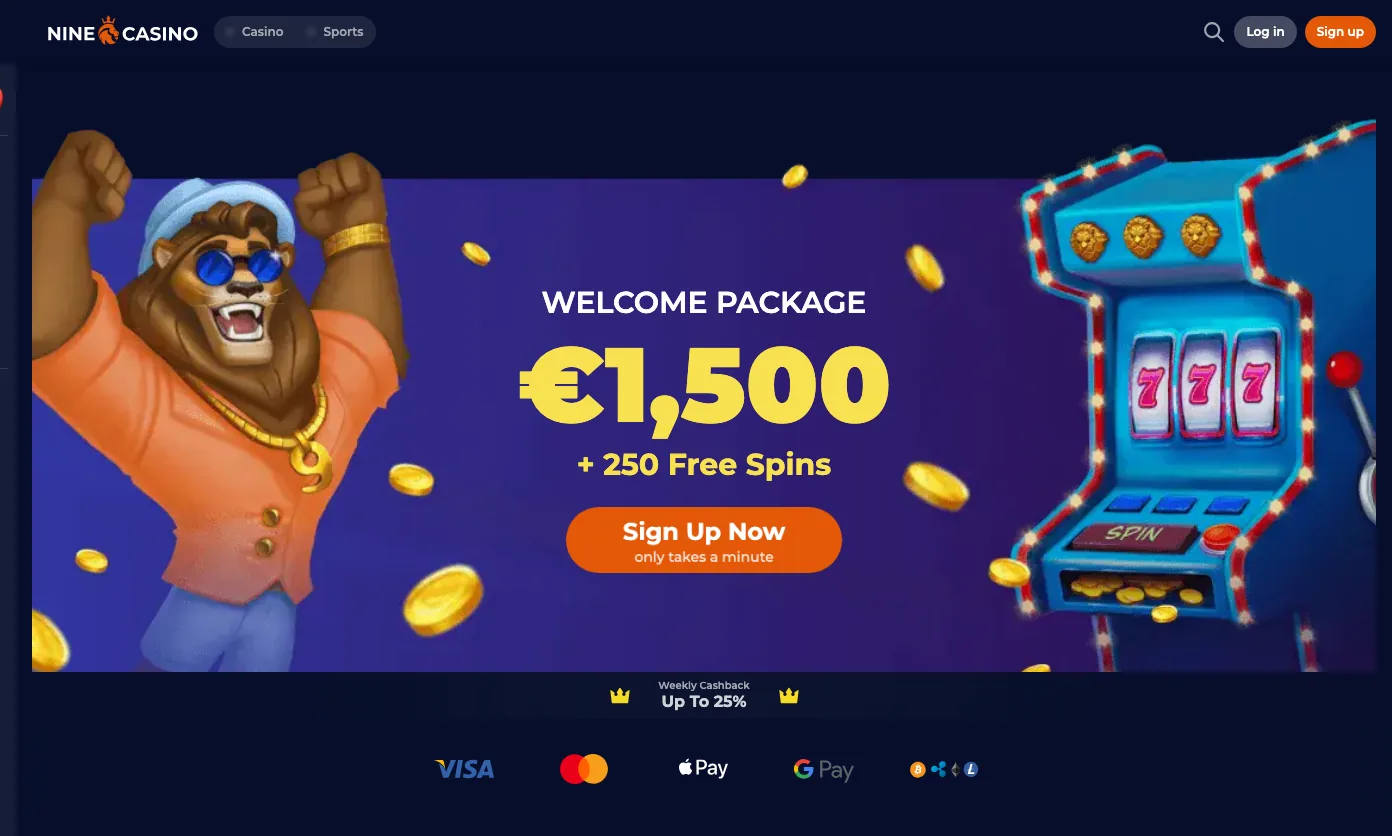
The WELCOME PACKAGE is €1,500 + 250 Free Spins over three deposits: 100% up to €500 + 150 Free Spins, then 55% up to €500 + 100 Free Spins, then 100% up to €500. The wagering terms and dates are on the bonus page.
Do not enter a promo code for a welcome package bonus: all of them are credited automatically, and a bonus claimed with a code is not given.
What the form and the account ask for
| Stage | What you provide | Good to know |
|---|---|---|
| Sign-up | Email and password | The details given have to be true, complete and correct |
| Personal details | Name, date of birth, address, phone | A mismatch with the documents is a reason for rejection |
| Consents | 18+, Terms and Privacy Policy | The Terms include consent to contact by email, SMS or phone calls |
| Email check | The link sent to your email | Works once; needed before withdrawals |
| Currency | EUR, BRL, CAD, NOK, NZD, CZK, ZAR, BGN, HRK, RON, AUD, BTC, other crypto | Account currencies listed in the Terms; the internal operating currency is Euro |
| Documents | ID and proof of address | See the verification section below |
Verification documents and timing
The KYC check covers proof of identity, proof of address and proof of payment, uploaded in the profile.
ID
A passport or ID card. The upload screen asks for both sides of a valid ID, unaltered. A selfie with the open passport can be requested too.Proof of address
A utility bill or bank statement. KYC Policy: not older than 6 months. Upload screen: not older than 90 days. A document issued within 90 days fits both.Proof of payment
The front of the bank card: first 5 and last 4 digits, owner’s name, expiry date. The upload screen takes jpg, png or pdf up to 11 MB.Timing
After upload the status is Temporarily Approved; the KYC team has 24 hours to reply. Withdrawals stay limited until then.When it is requested
At the first withdrawal and at any time after, with no reason given. The Terms also allow checks on deposits, the first one included.Other alphabets
Documents are expected in Latin or Cyrillic letters. Otherwise the casino can require a video verification.
Why a document is rejected
Typical reasons: the name or address does not match the profile, the copy is unreadable or damaged, the document does not show your name or age, or it is the wrong type, such as an envelope instead of a utility bill. Photos should be sharp and documents not expired.
Faked or fraudulent documents can lead to confiscation of deposits and winnings. A failed check blocks further deposits and withdrawals.
Until the account is fully verified, no cashouts will be processed.
Terms, edition effective 01/07/2024,
Account-ready checklist
Tick what is done; the ticks stay in this browser.
- Sign-up steps
An email you can open
The reset link and the one-time email check arrive there; the Spam folder included. - Sign-up steps
You are 18 or over
The Terms accept customers over 18 only, and proof of age can be requested. - Problems
One account only
One account per household, IP address and PC; extra accounts can be blocked and winnings forfeited. - Documents
ID and proof of address ready
ID with both sides, and an address document issued within the last 90 days. - Withdrawals
Deposit from your own card or wallet
The name on the payment method has to match the name on the account. - Safer play
Deposit limits set
Daily, weekly or monthly limits are set in My Account > Responsible Gaming.
Login and sign-up terms explained
Dotted words on this page open the same notes.
- KYC
- Know Your Customer: the identity checks an operator runs before it pays out.
- Proof of identity
- A passport, driving licence or other government ID, photographed on both sides.
- Proof of address
- A utility bill or bank statement that shows your name and address.
- Proof of payment
- A photo or screenshot that links a payment method to your name, such as the front of a bank card.
- Temporarily Approved
- The status after documents are uploaded and while the KYC team reviews them. Withdrawals are limited in this status.
- 2FA
- Two-factor authentication: a one-time code from the Google Authenticator app, entered at sign-in.
- Wagering
- How many times a bonus has to be bet before the funds can be withdrawn.
- Dormant account
- An account with no login for twelve consecutive months. A monthly fee can apply to it.
Login and account FAQ
Use the Log in button in the operator’s header to open the sign-in form, enter your email and password, and add the one-time code if two-factor authentication is on.
Select “Forgot password?” on the sign-in form and enter your email address. A reset link arrives by email, and the new password has to differ from earlier ones.
The form pauses further tries and shows a countdown. Wait for it to end, or reset the password with “Forgot password?”.
Both are updated under Account > Profile. If the email or phone is already verified, a change goes through Support.
18. The operator accepts customers over 18 and can ask for proof of age; where the law of your country sets a higher age, that age applies.
No. The Terms allow one account for each household, IP and PC. Extra accounts can be blocked or closed, and returns, deposits and winnings forfeited.
Up to 24 hours after upload. The status is Temporarily Approved while the KYC team reviews the documents and emails the outcome. Until the account is fully verified, no cashouts are processed. Withdrawal times and limits are on their own page.
An ID and a proof of address. A selfie with the passport and a photo of the bank card can be added to the request.
Contact Support and ask for the account to be closed. The Terms say all funds on the account are returned, by a method the casino chooses, and identity can be verified during closing. Third-party ratings and complaints are on the review page.
Licence and status
Nine Casino is run by Uno Digital Media B.V. (Company Number 157147) under Curaçao licence OGL/2024/1267/0760; the certificate read Active on (certificate).
Nine Casino does not appear in the public register of the UK Gambling Commission (searched on ).
The Casino accepts players only from those countries and geographic regions where online gambling is allowed by law. It is the player’s sole responsibility to inquire about the existing gambling laws and regulations of the given jurisdiction before placing bets on the website.
Nine Casino Terms and Conditions, edition 01/07/2024
Gamstop Online blocks you from signing up for or using online accounts with gambling companies licensed in Great Britain.
GAMSTOP, gamstop.co.uk/about
18+ only. Full licence page → · Responsible gaming →
 Welcome package